Grades across. Nothing retyped.
Gradeshuttle moves a column of grades from Google Classroom or any learning app into your school’s gradebook. You check every match before anything is typed, and one click undoes it all. Your students’ data never leaves your computer.
- No account to create
- Nothing uploaded
- Free core, forever
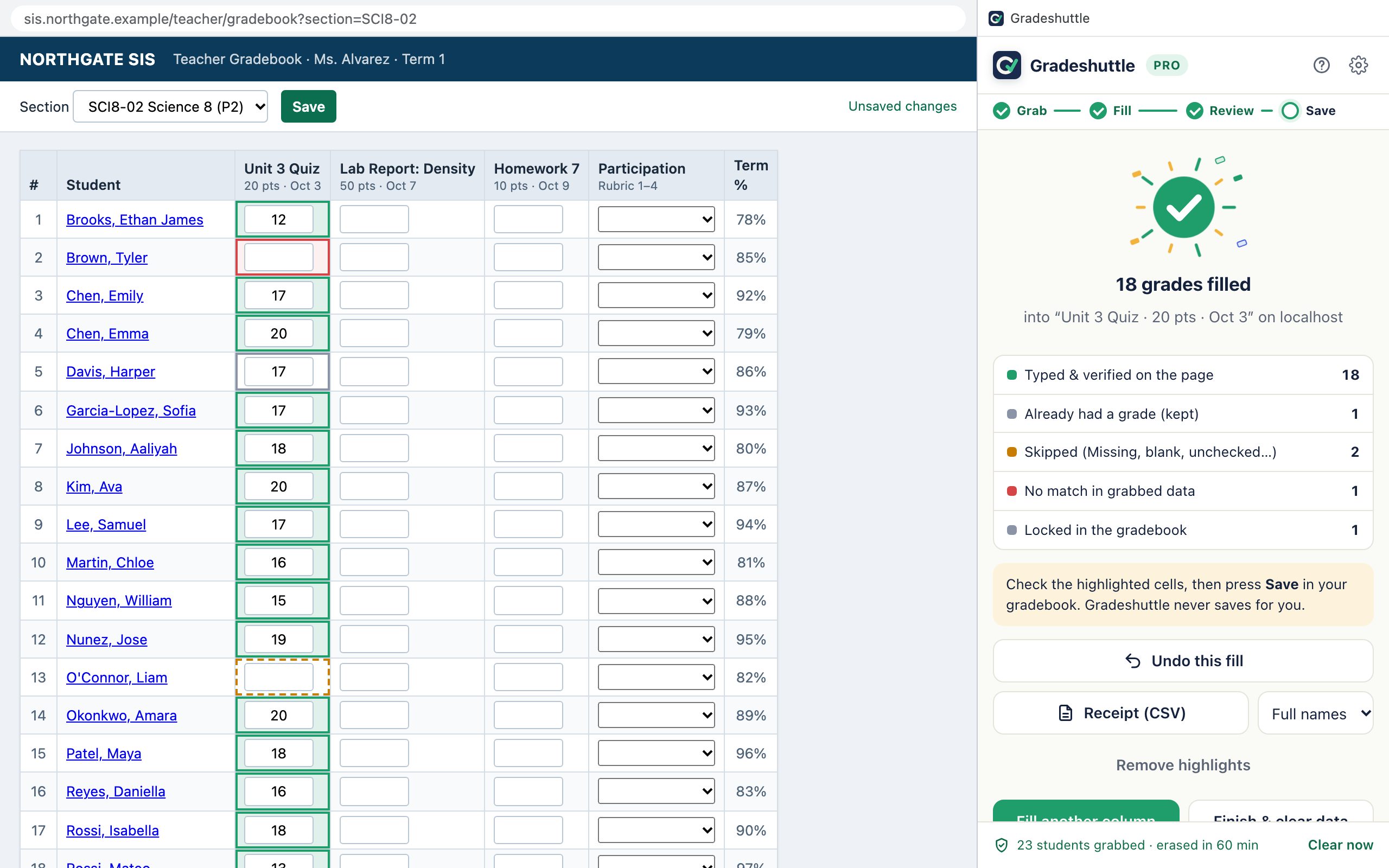
Google Classroom to your gradebook in 30 seconds
Grab the column, check the matches, fill, save. Teachers see the same tour when they install Gradeshuttle.
One column, two clicks, nothing typed until you say so
This is Gradeshuttle’s real matching engine running on a pretend class. The names don’t line up on purpose: Bill is William, Sam is Samuel, one name is spelled differently, one quiz is Missing, and one student already has a grade.
| Student | Unit 3 Quiz | Homework 7 |
|---|
| Student | Unit 3 Quiz | Lab |
|---|
The same three steps on every platform
Gradeshuttle opens in Chrome’s side panel and stays open while you switch tabs. There are no per-platform modes to learn.
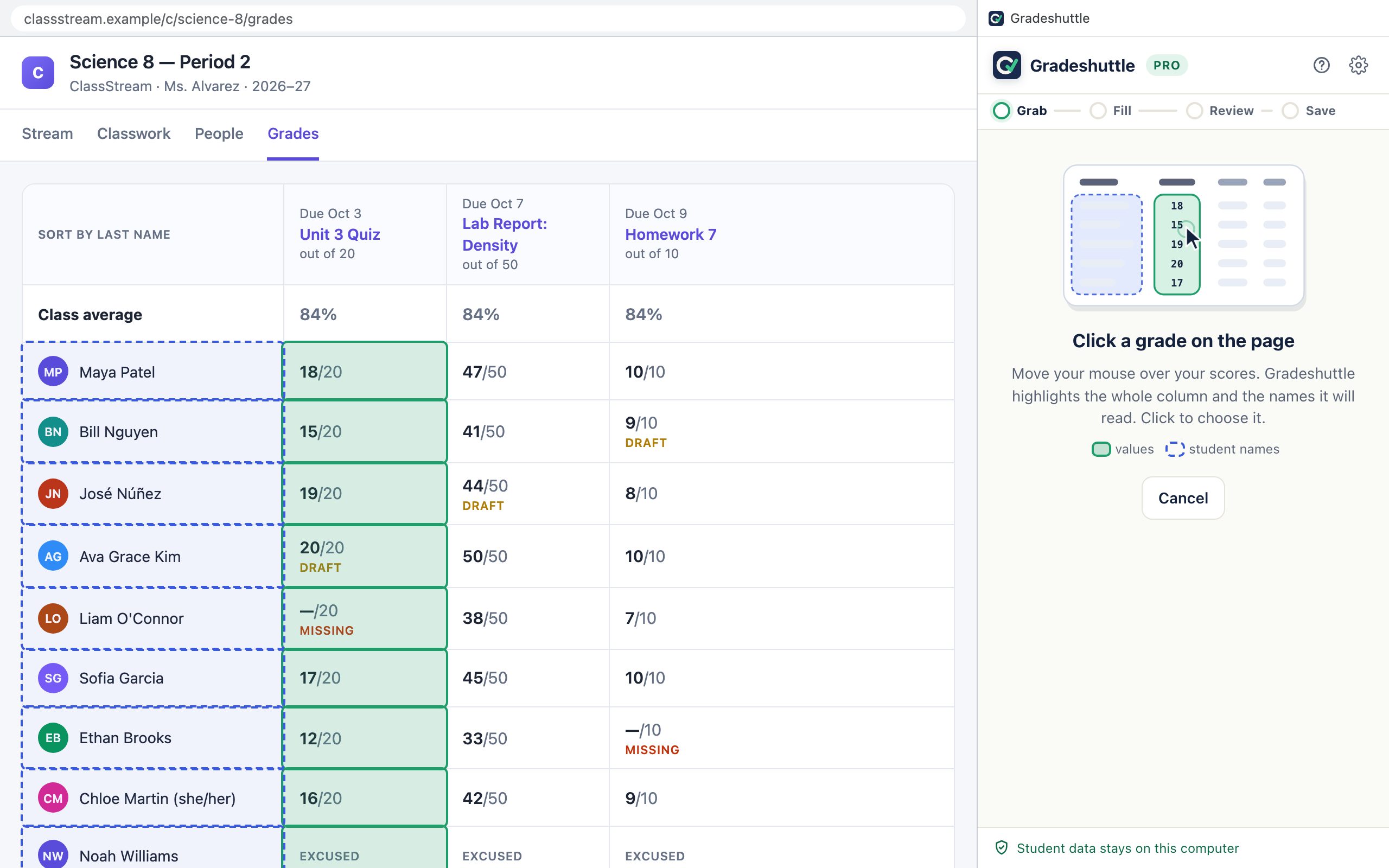
Grab a column
Press Grab and point at any grade. The whole column and the student names light up before you click, so you always know what you’re taking.
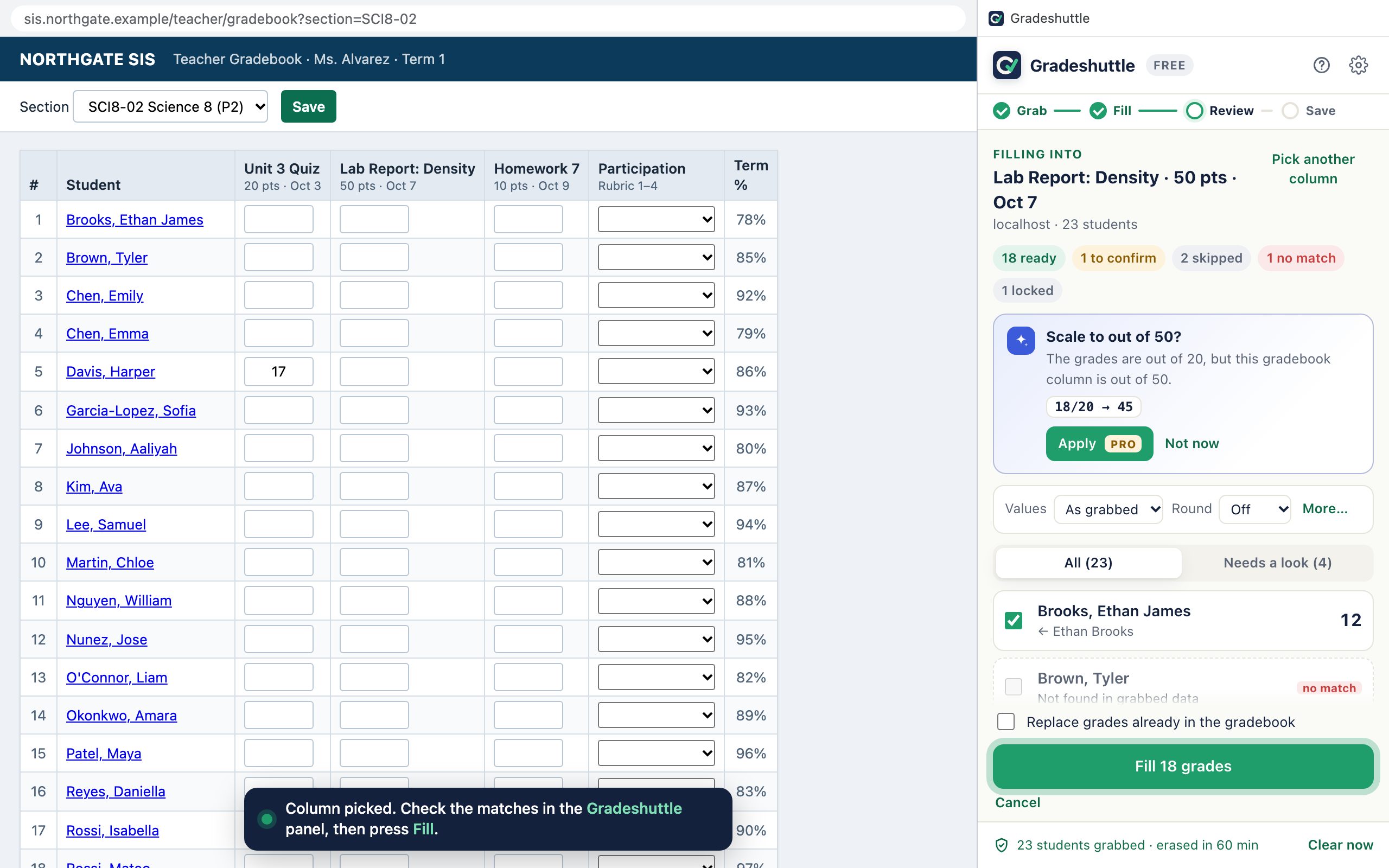
Review every match
Open your gradebook, press Fill and click the column. You see each student, how their name was matched, the old value and the new one. Unsure matches start unticked, and smart tips catch things like different totals.
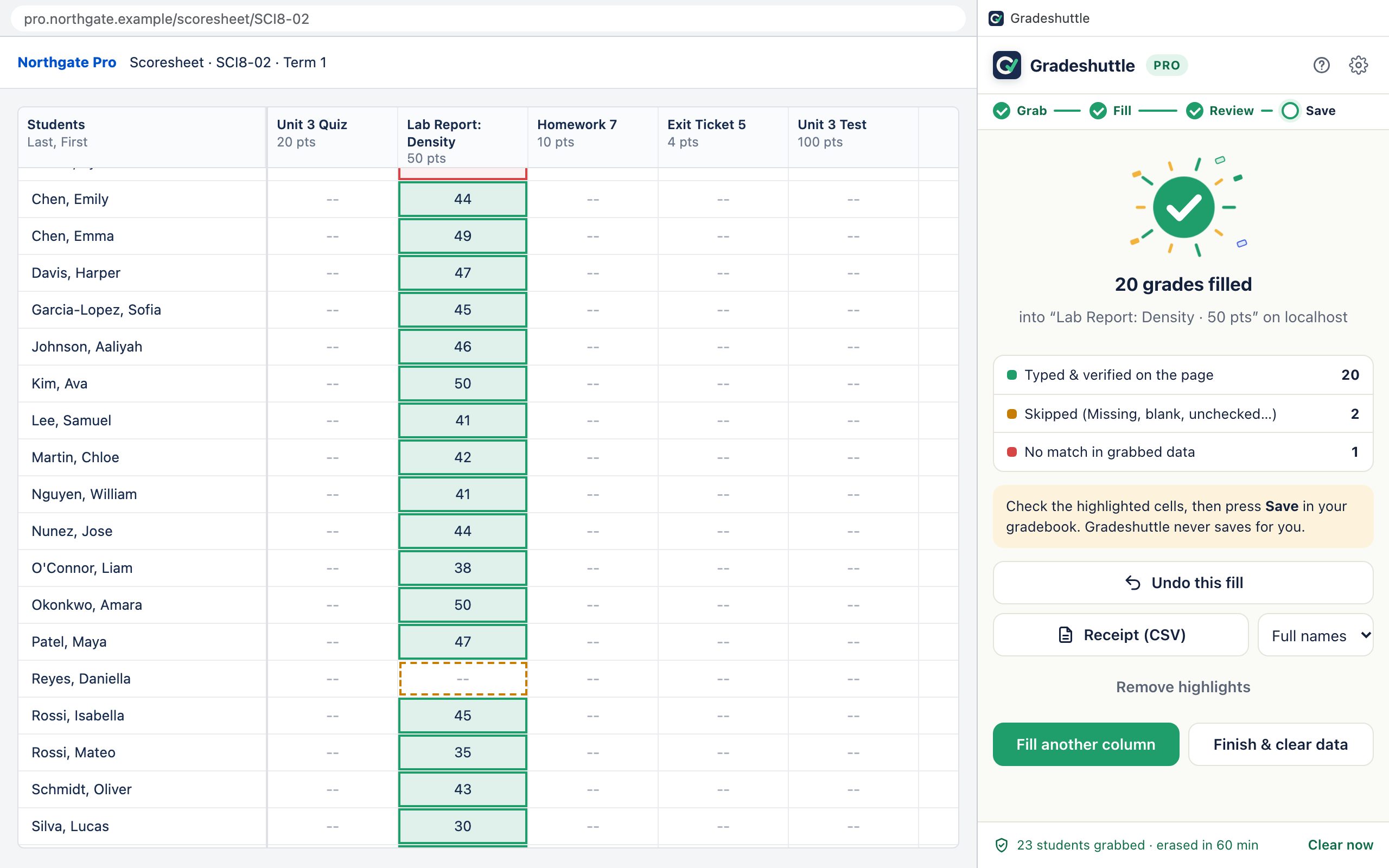
Fill, check, save
Gradeshuttle types the values, checks each one on the page and colour-codes the cells. Press your gradebook’s Save when you’re happy, or press Undo.
Handles the parts that make copying grades slow
Names that don’t match
“Last, First” or “First Last”, middle names, accents, pronoun tags, hyphenated surnames, nicknames, typos and student IDs.
Bill Nguyen → Nguyen, William · José Núñez → Nunez, Jose
Existing grades are protected
By default Gradeshuttle fills only empty cells and tells you which ones it kept. Replacing grades is a box you tick on purpose.
One-click undo
Every cell Gradeshuttle touched goes back to exactly what it was, including blanks.
Missing and Excused are never typed as text
They’re skipped and flagged for you. Pro can turn them into 0, M, EX or whatever your gradebook uses.
Paste from Sheets, Excel or a CSV
Paste a range or drop in Google Classroom’s “Download grades” file or a Canvas export. Gradeshuttle finds the names, the scores and the points row.
Works on any gradebook layout
Classic tables, input boxes, dropdowns, pages inside frames, and spreadsheet-style grids where names sit in a frozen column.
Smart tips
Gradeshuttle notices when the totals differ, when your gradebook has its own Missing codes, or when a whole roster doesn’t line up, and offers a one-click fix.
“Out of 20, column out of 50: scale 18/20 → 45?”
Settings that fit your gradebook
Presets, a live preview of exactly what will be typed, a visual letter-grade scale, and a settings code you can share with your whole department.
Your students’ data stays on your computer
There is no Gradeshuttle server to send it to. No account, no analytics, no ads. Gradeshuttle reads a page only when you press Grab or Fill, and only the column you click.
- Locked down by design. Gradeshuttle’s screens are blocked from connecting to the internet, and the code that reads pages contains no network features.
- Checked on every release. An automated gate rejects any build with network code, and a real-Chrome test confirms a grab and a fill send zero requests.
- You can wipe it. One button erases grabbed data; another deletes everything Gradeshuttle has stored on the computer.
- Minimal access. Site access is asked for once, and districts can limit Gradeshuttle to their own LMS and gradebook.
Ready for your privacy review, including Alberta’s POPA
Alberta school authorities now work under the Protection of Privacy Act, which replaced FOIP in June 2025, and independent schools under PIPA. We provide a privacy impact assessment support pack, a privacy schedule, security answers and a Google Admin rollout with an allowed-sites list and locked settings. The same pack covers FERPA and US state student-privacy laws.
Made for the tools your school already uses
Gradeshuttle reads and fills any web page that lists students in rows. It doesn’t depend on a list of supported sites, and it gives step-by-step tips on the platforms below.
Grab from
- Google Classroom
- Canvas
- Schoology
- Edpuzzle
- DeltaMath
- Any LMS grade table
- Google Sheets (paste)
- Excel (paste)
- CSV exports
Fill into
- PowerSchool PowerTeacher Pro
- Infinite Campus
- Aspen
- Synergy
- Skyward
- Canvas
- Schoology
- Any web gradebook
Product names belong to their owners. Gradeshuttle isn’t affiliated with or endorsed by them. Dashed chips mean you paste or import instead of clicking, because those apps draw their grid as an image.
Teachers usually ask
Is it really free?
Will it press Save in my gradebook?
What if it matches the wrong student?
Do I need an account?
Is my school allowed to use it?
Does it work with my gradebook?
Get your Sunday evening back
Install Gradeshuttle, grab one column, and see the review screen for yourself. It’s free and there’s no account to create.